Overview & nav
How org mode differs from solo — projects, clients, team, reports.
If you run a studio, agency or in-house photo team — several photographers, shared clients, a review-and-approve workflow — SnapFlow has an organization mode built for it. This track covers what's different for org accounts. The core craft (uploading, culling, recognition, metadata, socials) works exactly as in the Photographer (web) track; here we focus on the team, client and workflow layers on top. Web
Who this is for
Org accounts come in corporate and agency flavours. Most of this track applies to both. Where a feature needs a specific tier (e.g. white-label is agency, brand colours are corporate Pro) we say so.
Your first login
You sign in to an org account exactly like a solo photographer — there's no separate "team login" page.
- Open snap-flow.org and click Sign in (top-right). — the login page opens.
- Type your Email and Password, then click Sign in. — you land on the Albums view: a grid (or pipeline board) of every event your team can see.
That's it — you're in the workspace.
The top bar IS your workspace
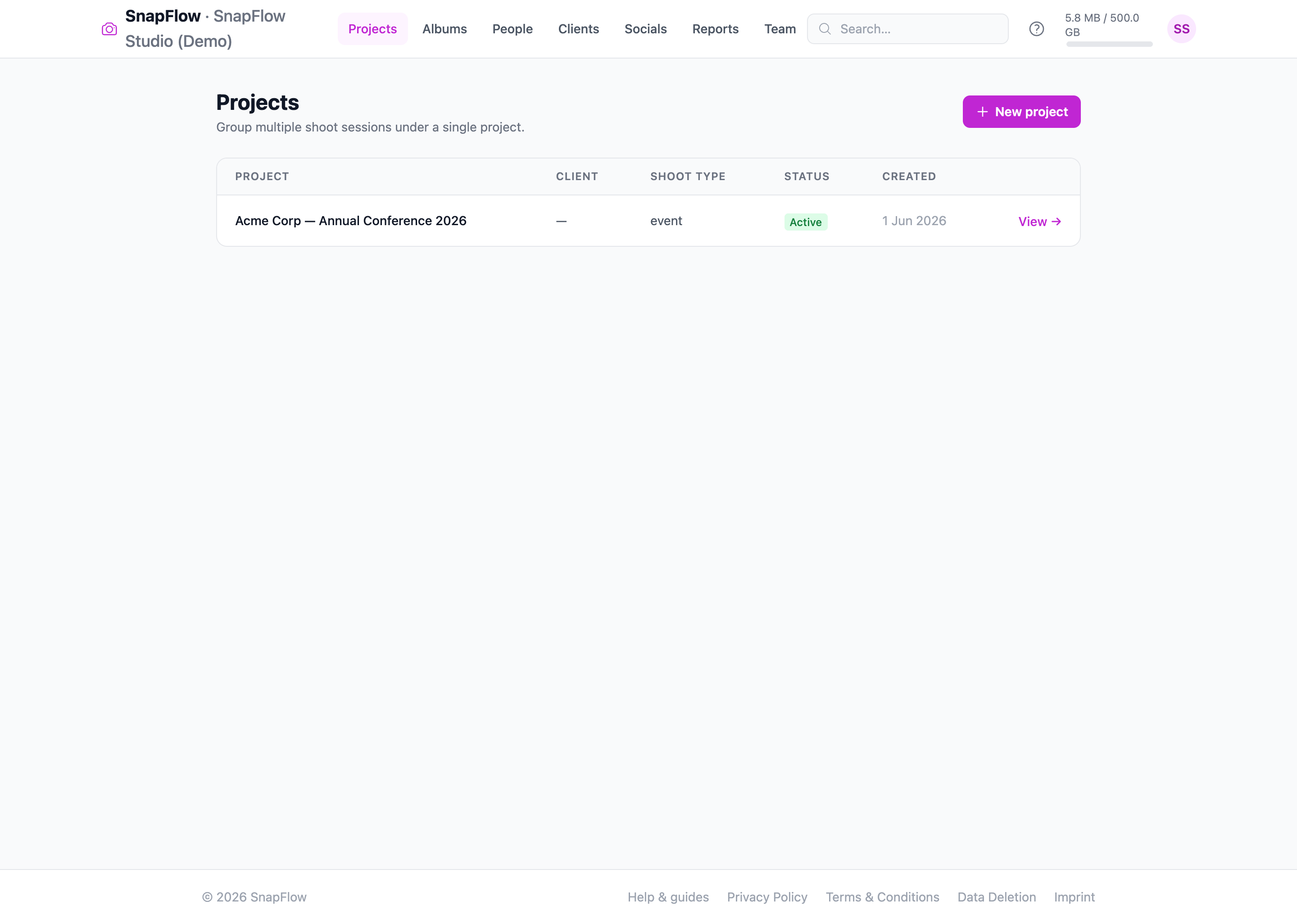
There's no left sidebar to hunt through. Everything lives in one row across the very top of the screen. The left side reads SnapFlow · {your org name} so you always know which workspace you're in; the menu links sit next to it; your storage bar and round avatar button sit at the far right.
 The org top bar. From left to right: ① the brand SnapFlow · {your org name}, ② the menu — Projects · Albums · People · Clients · Socials · Styles · Reports · Team, ③ the Search… box and Help (?) icon, ④ the org storage bar (used / limit), and ⑤ your round avatar button (opens Settings / Org billing / Sign out).
How org mode looks different
A solo photographer works under /dashboard with a personal plan. An organization gets a team workspace with its own navigation, branding and billing. Here's every item in the top menu, left to right, and what it's for:
- Projects — your long-running jobs, each grouping one or more shoots (events). (org-only)
- Albums — the flat list of every event/album you can see.
- People — the athlete/face registry. Shown when your plan includes recognition (see the note below).
- Clients — your client CRM. (org-only)
- Socials — Instagram (and TikTok) posting. Shown when your plan includes social posting. Accounts are connected per-user.
- Styles — reusable colour "looks" (the loupe word is a grade) you set per album. Shown when your plan includes the Styles feature — Studio and the corporate/agency tiers that bundle it. Studio
- Reports — storage, quota, deliveries and activity analytics. (org-only)
- Team — members, roles and invites. (org-only)
You don't need to memorise any URLs — the menu links take you everywhere. Behind the scenes, Projects, Clients, Reports and Team live under /admin/…, while Albums, People, Socials and Styles are shared with the personal surfaces.
Clients opens a different address for orgs
For an org account the Clients link goes to /admin/clients (your
org-wide client list). A solo photographer's Clients link goes to
/dashboard/clients instead. You never type either — the menu picks the
right one — but it's worth knowing if you bookmark a page.
People is gated by your plan, not by being an org
Recognition (face detection, the athlete registry, team/kit matching) works the same for orgs as for solo photographers — it's gated purely by your plan's features. The corporate Pro tier and up and all agency tiers include it. The entry-level corporate plan usually doesn't surface the People link by default, but a plan's features are resolved from the database — so your specific plan may have recognition switched on even on a starter tier. If you can see the People item, it behaves exactly as in Recognition. If you expect it and don't see it, check your plan on Billing & ownership.
The shape of an org job
A typical organization workflow runs like this:
- Create a project for the job (and link the client).
- Add an event (a shoot) under it, with the workflow toggles you need.
- Assign a photographer to the event.
- Photos come in; the event moves through its phases — Uploading → Internal review → Client proofing → Finals → Delivered (the exact ladder depends on which workflow toggles you turned on).
- Your team reviews and proofs internally; the client picks favourites.
- When you're done, a green Ready to deliver card appears on the event page. Type the client's email (optional) and click Send & mark delivered — the client is emailed their finished gallery and the event is marked officially delivered.
The next chapters walk each piece: Projects & event phases, Team & roles, Clients, Internal review, proofing & delivery, Reports & analytics, Branding & white-label, White-label & custom domains, Marketing consent, and Billing & ownership.